


NBC News: Breaking News & Live
4.422.56K Reviews
App Specs
- Version
- Varies with Device
- Updated On
- License
- Free
- Downloads
- 5,000,000+
- Developer
- NBC News Digital LLC
- Categories
- News & Magazines
- Platform
- Android, iOS
Screenshots
 Analysis by AppCompare
When I choose a news app, I care less about having every story in one place and more about whether I can quickly tell what matters, follow a developing event, and step away when I need to. NBC News: Breaking News & Live is aimed at readers who want a familiar broadcast-news perspective alongside articles, alerts, and video. I find it most useful as a convenient way to check in during the day, rather than as the only source I would use to understand every complicated issue.
What I look for in a daily news app
A good news app needs to work at two speeds: a quick scan when I have a spare minute and a more deliberate read when a story deserves attention. NBC News brings those habits together with a feed, notifications, and video. That mix is handy if I want to read a headline on the train, then watch coverage later when I have time and a reliable connection.
I also think about control. Alerts can make an app feel timely, but too many turn a phone into a constant interruption. The practical question is whether I can make notifications useful without letting them dictate my attention. Here, adjusting notification settings is worth doing early, before breaking updates become background noise.
First Impressions
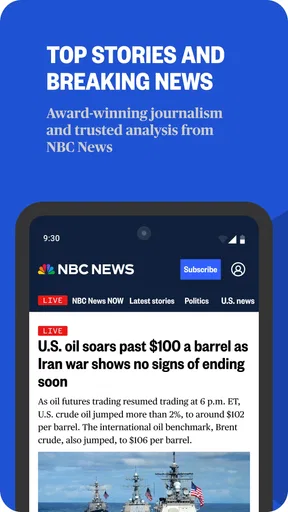
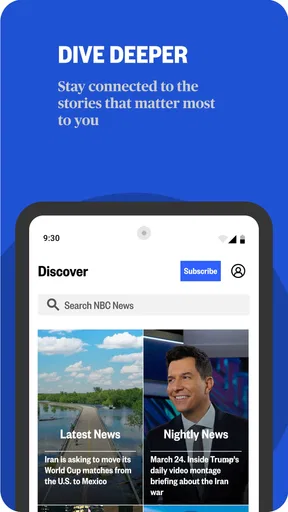
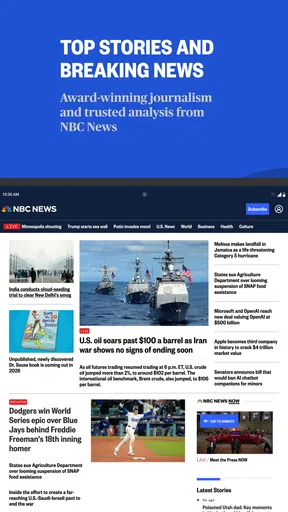
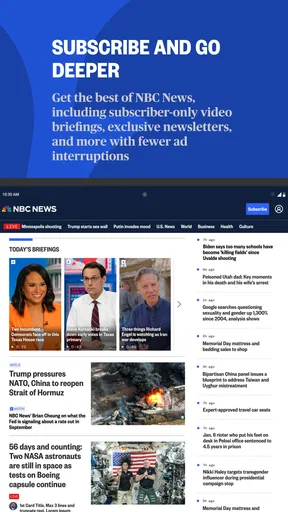
Right off the bat, the app is super easy to navigate. It's got a clean and straightforward interface, which makes finding news a breeze. Whether you're into politics, entertainment, or sports, the NBC News: Breaking News & Live app has got you covered. I found myself just scrolling through the sections effortlessly, which is always a win in my book.
Features That Stand Out
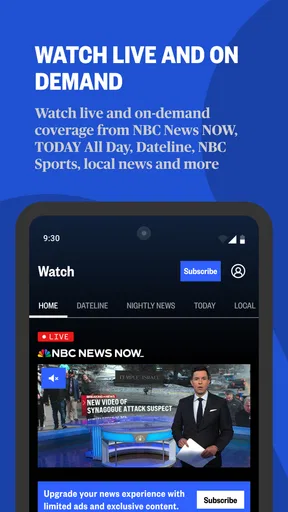
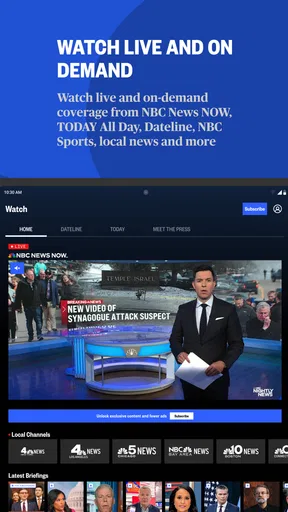
One thing that caught my eye is the live streaming feature. You can watch NBC News live, which is perfect for those who want to catch the news as it happens. No more waiting for the evening news to get your updates! Plus, they have a cool feature where you can watch video clips from various news segments. It’s like having a TV in your pocket.
The app also allows you to customize your news feed. This means you can tailor the content to fit your interests. I personally love this feature because, let’s face it, who wants to sift through tons of articles that don’t resonate with them?
Using the feed without letting it use you
Customization is most useful when I treat it as a starting point, not a filter that decides what deserves my attention. I would keep the subjects I follow broad enough to leave room for major events outside my usual interests. If I only tune the feed to familiar topics, I could miss a story that affects daily life precisely because it did not begin in a section I normally open.
Worth Reading Before You Choose

EA SPORTS FC Mobile 26 Is a Bigger Football Game, but It Takes Time

Flipboard Shows What News Apps Must Do Beyond the Feed

Switching to Android Auto Means Rethinking Your Driving Routine

Google Calendar Makes a Crowded Week Easier to Manage

Ludo King Makes the Most of the Minutes Between Plans

Baby Panda World Brings Quick Play to Modern Phones, but Its Game Library Feels Busy
A small routine helps: scan the main feed first, then move to the topics I deliberately follow. That gives me a sense of what the app is emphasizing before I settle into a narrower reading habit. It is a simple way to make personalization work for convenience without mistaking a customized feed for a complete picture of the news.
Notifications – A Blessing or a Curse?
Now, let's talk about notifications. They're great because they keep you in the loop, but they can also be a bit overwhelming if you're not careful. Thankfully, the app lets you manage your notification settings, so you can choose what you want to be alerted about. Just a heads up though, if you’re someone who gets easily distracted, you might want to limit these!
Choosing alerts for real life
I would think of alerts as an interruption budget. If I am at work, studying, or looking after a child, a stream of updates may be more disruptive than useful; choosing fewer alerts makes it easier to save news for a planned break. On the other hand, someone following a fast-moving public event may value timely prompts and be willing to check the app more often.
For a calmer setup, I would start with only the notifications I genuinely want to receive, then adjust after a few days based on which ones I actually open. That is more practical than enabling everything out of curiosity. A notification tells me that an update is available; it is not a substitute for reading the story or checking how it develops.
Reading, watching, and choosing another source
The live video is the clearest reason to choose this app over a text-only news reader. Seeing a report can be useful when a story is unfolding visually or when I want a more direct broadcast-style update. Clips also suit a short break when I would rather watch than read. The trade-off is that video asks for more attention and a suitable connection, so I would not make it my default in a quiet place, during a meeting, or when I only need a quick fact.
Compared with a newspaper’s app, this one may feel more natural to someone who likes broadcast coverage and video as part of a news routine. A broad news aggregator can be better for comparing several publishers’ treatment of the same story in one place; a specialist publication may serve readers who want sustained depth in one subject. I see NBC News as strongest when I want its reporting and live coverage close at hand, not as a replacement for every other perspective.
For example, if I have a few minutes before leaving home, I can skim headlines and save a longer read for later. If a major event is developing while I am commuting, an alert can prompt me to check in when it is safe and convenient. Once I have time, I can use the video or read more carefully rather than trying to understand a complex situation from a single notification.
Everyday fit and the points to consider
The app is published by NBC News Digital LLC and sits in the news and magazines category. It is free to download, with in-app purchases listed from $5.99 to $59.99 per item, so I would check any purchase screen carefully before confirming anything. The audience rating is Everyone 10+, and the app has a 4.5 average from around 102 thousand ratings. Those details offer context, but they do not tell me whether its particular mix of coverage and video suits my habits.
There are a few reasons I would hesitate before making it my main news source. A feed shaped around my interests can narrow what I notice, alerts can intrude, and live video is not always convenient. I would also want to compare coverage across outlets when a story is contentious or particularly important. Those are not reasons to avoid the app; they are reminders to use a news app as a tool rather than as an automatic verdict on what is happening.
It is a better fit for someone who wants familiar, general news with broadcast-style viewing available alongside reading. If I wanted a quieter experience, I would disable most alerts and open the app at chosen times. If my priority were to compare reporting from multiple publishers or go deep into a specialist topic, I would pair it with an aggregator or a publication focused on that subject rather than expecting one app to do everything.
Performance and day-to-day comfort
In terms of performance, the app runs smoothly on both Android and iOS. I didn’t experience any crashes or bugs, which is always a relief. The articles load quickly, and the videos stream without any annoying buffering. It’s definitely designed with the user in mind, and I appreciate that.
Another thing to note is that the app is free to download, which is fantastic. There are ads, but they’re not too intrusive, so it’s a small price to pay for all the great content you’re getting.
In practical terms, I would make the first session a setup visit: choose the subjects I care about, decide how much interruption I want, and test whether I actually prefer reading or watching. That quick check can prevent the common annoyance of leaving every alert on and then silencing the whole app later. I would also reserve live viewing for moments when I can give it attention, using the written feed for quick checks.
The app has more than five million installs, so it is clearly a well-established option for people looking for NBC coverage on a phone. Popularity alone is not a reason to install it, though. What matters is whether its editorial voice, format, and balance of headlines and video make it easier for me to keep up without adding more noise to the day.
Final Thoughts
All in all, the NBC News: Breaking News & Live app is a solid choice for anyone wanting to stay informed. It’s packed with features that make consuming news easy and enjoyable. Whether you’re a news junkie or just someone who likes to keep up with current events, this app is definitely worth checking out.
So, if you're looking for a reliable news source that's literally at your fingertips, give it a whirl. You can find it on both the Google Play Store and the Apple App Store. Happy news reading!
Pros
- User-friendly interface for seamless navigation.
- Customizable notifications for personalized alerts.
- In-depth coverage with video and article formats.
- Offline reading mode for news on-the-go.
- Live streaming of major news events available.
Cons
- Ads can be intrusive during reading.
- Requires a stable internet connection for videos.
- Limited offline content availability.
- Occasional app crashes reported by users.
- Some content requires cable provider login.
FAQs for NBC News: Breaking News & Live
What features does the NBC News app offer?
The NBC News app provides a comprehensive platform for news consumption, offering live streaming of NBC News shows, breaking news alerts, and a customizable news feed. Users can explore in-depth articles, video clips, and photo galleries. Additionally, the app includes a night mode and offline reading capabilities for convenience.
Is the NBC News app free to use?
Yes, the NBC News app is free to download and use. However, some content may be limited to users with a cable subscription. Most breaking news, articles, and live streams are available without any charge, making the app accessible to a wide audience looking for up-to-date news coverage.
How can I customize notifications in the NBC News app?
The NBC News app allows users to customize notifications to suit their preferences. You can enable or disable alerts for breaking news and topics of interest. This ensures that you receive updates on the news stories that matter most to you, without being overwhelmed by notifications.
Does the NBC News app support offline reading?
Yes, the NBC News app supports offline reading. Users can save articles to read later without an internet connection. This feature is especially useful for those who want to catch up on news during commutes or while traveling, ensuring you stay informed even when offline.
What platforms is the NBC News app available on?
The NBC News app is available for both Android and iOS devices. It can be downloaded from the Google Play Store for Android users and the Apple App Store for iOS users. The app is designed to work seamlessly across smartphones and tablets, providing a consistent user experience.


